
Diagnose faster. Fix it right the first time.
Tech AI-Copilot is a browser-based AI assistant that works alongside your existing systems. Decode a VIN, surface relevant TSBs and service info, connect symptoms to likely causes, and move through diagnostics with confidence — all from a side panel on any page.
- No login required
- Cancel anytime
- Built for shop workflows
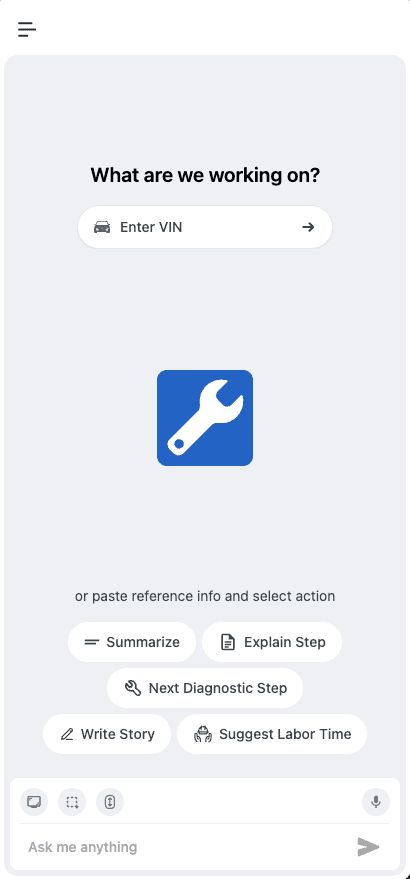
Everything you need, one panel away
Tech AI-Copilot bridges the gap between what's documented and what actually fails in the field — less searching, less guesswork, more billable hours.
AI-driven TSB & service search
Surfaces relevant technical service bulletins and service information, plus hard-to-find or outdated technical insights that are often missed.
VIN decoding
Enter a 17-character VIN and attach the decoded vehicle info to your chat session, so every answer is grounded in the right make, model, and year.
Diagnostic pattern matching
Connects symptoms to likely causes using common issues and real-world failure patterns — so you're not starting from scratch every time.
Screenshot & full-page capture
Snip a section or capture an entire scrolling page from any reference system, then hand it straight to the AI for context.
Local OCR text extraction
Pull text out of any screenshot instantly with on-device OCR — no image ever needs to leave your capture.
Voice input, hands-free
Speak your question and watch it transcribe live, then drop straight into the chat input — no typing required in the bay.
From install to answer in under a minute
No setup, no config files — just a copilot that's ready the moment you need it.
Install the extension
Add Tech AI-Copilot to Chrome in a few seconds — no login required to get started.
Enter a VIN or reference info
Decode a 17-character VIN or paste reference info so the assistant has the right vehicle context for your session.
Pick a quick action, or ask
Summarize, explain a step, get the next diagnostic step, write the RO story, or suggest labor ops — one tap away.
Get instant, streamed answers
Watch responses stream in real time, with full history saved so you can pick the conversation back up later.
See it in the panel
A closer look at the workflow — enter the vehicle, pick an action, and get an answer without leaving the page.
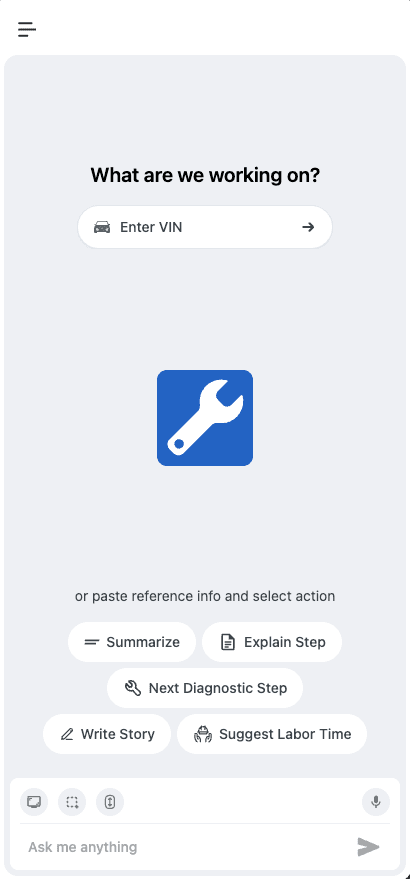
Works right where you're already reading
The panel docks alongside whatever reference material is already open — no tab switching to bring the AI into the conversation.
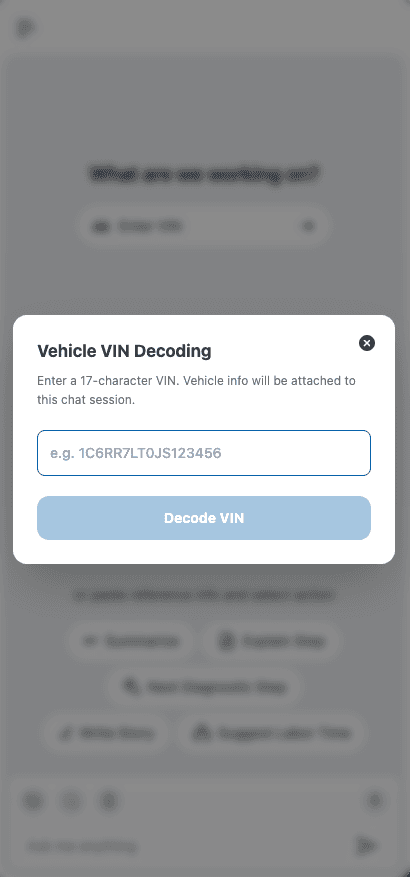
VIN decoding
Decode a 17-character VIN and attach the vehicle info to your chat session in one step.
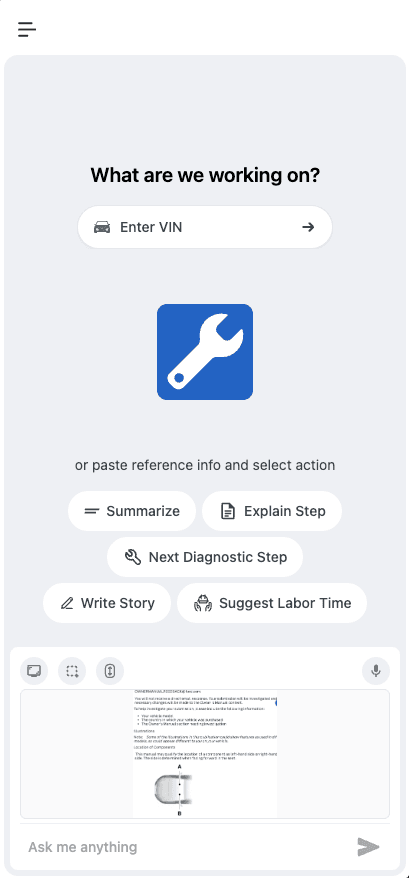
Screenshot capture
Capture a reference page — like an owner's manual — and it's attached right in the chat for instant context.
OCR runs locally
Text extraction happens on-device with Tesseract.js — screenshots aren't required to leave your machine to be read.
Your history, your storage
Conversations are saved locally in your browser so you stay in control of what's kept and what's deleted.
No login required
Start diagnosing right away — sign-up isn't a prerequisite to opening the panel and asking a question.
Simple, shop-friendly pricing
Try it free, then upgrade for unlimited diagnostics whenever you're ready.
Pro
$5.99/month
Unlock unlimited access for daily shop use
- Unlimited questions and follow-ups
- No login required
- Cancel anytime
Frequently asked questions
Can't find what you're looking for? Reach out and we'll get back to you.
- Is Tech AI-Copilot free to use?
- Yes — Tech AI-Copilot is free to install, with a handful of free actions to try it out. Unlimited access is available for $5.99/month, and you can cancel anytime.
- Do I need to create an account?
- No. You can open the side panel and start asking questions right away — no login is required to get going.
- How does VIN decoding work?
- Enter a 17-character VIN in the panel and it's decoded and attached to your chat session, so every answer is grounded in the right vehicle.
- Where does OCR processing happen?
- Text extraction from screenshots runs locally in your browser using Tesseract.js, rather than relying on an external OCR service.
- Does it replace my existing shop systems?
- No — it works alongside your existing systems, helping you find relevant TSBs, service info, and diagnostic steps faster instead of starting from scratch.
- Are my conversations saved?
- Yes — conversations are stored locally so you can revisit, continue, or delete them whenever you like from the side panel.
Bring an AI copilot to every bay
Install Tech AI-Copilot in seconds and start decoding VINs, surfacing TSBs, and moving through diagnostics with confidence.